The risk: published vulnerabilities are public knowledge
The PrestaShop core and its modules regularly receive security fixes. Each fixed vulnerability is published under a CVE reference, a public identifier for a security flaw. Once it is published, everyone knows about it, attackers included. A store that keeps running the vulnerable version stays exposed.
Tracking those disclosures by hand for every module is hard work. The Sentinel scanner does it for you.
What the Sentinel scanner does
- Sentinel reads the PrestaShop version, the PHP version and the list of installed modules, with their version and status.
- That information is sent over HTTPS to the Sentinel API, which checks it against its database of known vulnerabilities.
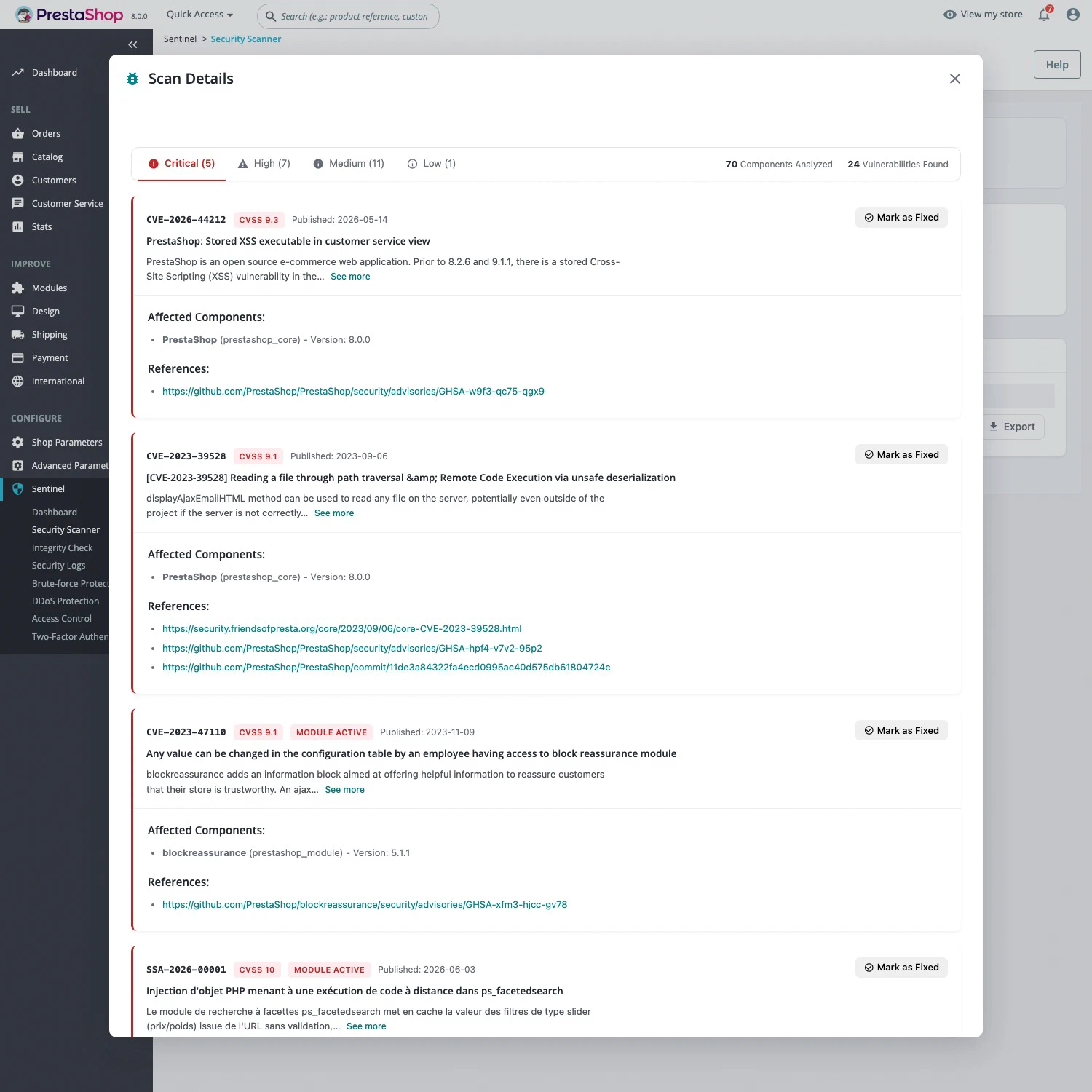
- The report ranks each finding by severity: Critical, High, Medium or Low.
For each vulnerability, the report gives the CVE reference, the CVSS severity score, the publication date, the affected components and versions, and reference links. Every scan is kept in the history. A vulnerability you patched by hand can be marked as fixed, and results can be exported as CSV, JSON or TXT.
No customer or order data is sent: only version numbers.
Free or Pro?
| Free | Pro | |
|---|---|---|
| Core and module analysis, severity, CVE and CVSS | Yes | Yes |
| Number of scans | 1 per 24 h | Unlimited |
| Vulnerabilities covered | Published more than 30 days ago | All, including same-day disclosures |
| History, export and “mark as fixed” | Yes | Yes |
| Daily automatic scan and email report | No | Yes |
Sentinel Pro costs €29.90 excl. VAT per month per installation, with no commitment. See pricing.
Running your first scan
- Install Sentinel: the module supports PrestaShop 1.7.7 to 9.2 on PHP 7.2 to 8.5.
- In the back office, open Sentinel > Security Scanner and click Run Scan.
- Deal with Critical and High findings first: update the module, or disable it until a fix is available. Remove vulnerable modules you no longer use.
- Scan again to check the result.
From the command line, sentinel:scan runs the same scan, --history shows past scans and --json produces output a script can read.
What the scanner does not do
- It only sees known, published vulnerabilities. A flaw nobody has disclosed yet, or one specific to custom code, will not show up.
- It does not fix anything. Updating the module or PrestaShop is still up to you.
- It does not detect hacked files. That is the job of the file integrity check.
- It does not block attacks. Until a fix is out, Sentinel Pro’s web application firewall blocks known exploit attempts against modules.
- It needs internet access. The server must be able to reach the Sentinel API; without it, the scan fails but the store keeps running normally.