Why keep a security log
After an incident, the first questions are always the same: what happened, from which address, at what time, on which page? Without a log, there is no answer. Day to day, security logs also bring out the signals worth watching: an address piling up failed logins, a series of requests for pages that do not exist, direct requests to module PHP files.
What Sentinel records
As soon as it is installed, with nothing to configure, Sentinel Free records:
- failed back-office logins, with the email address that was tried;
- modification requests (POST, PUT, PATCH, DELETE) and their content;
- pages not found (404);
- back-office access refused by the IP allowlist;
- two-factor authentication events that need attention, such as a rejected code or a passkey that may have been cloned.
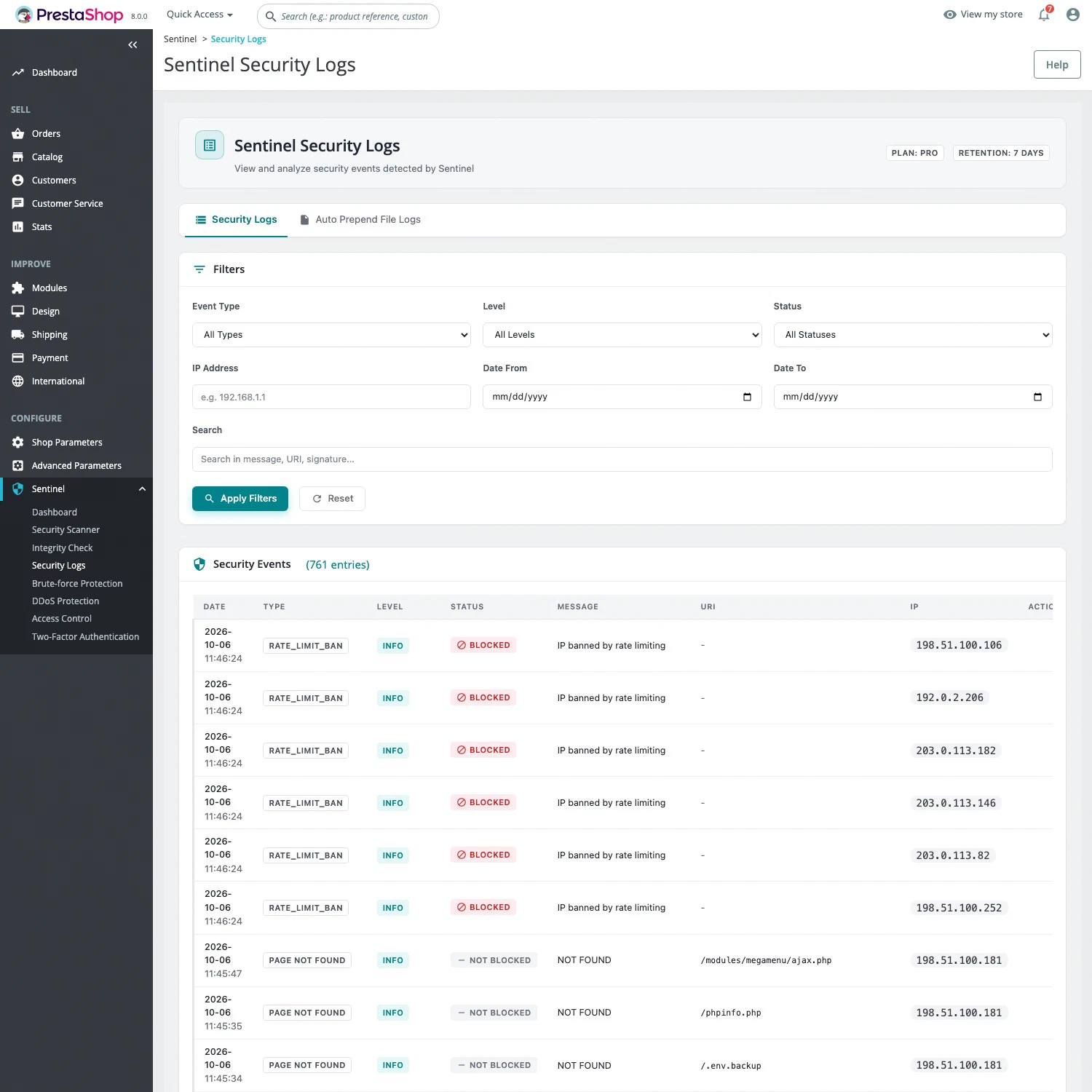
Sentinel Pro adds direct access to PHP files through extended coverage (Auto Prepend), with the name, size and type of uploaded files, as well as the attacks detected by the web application firewall and the bans issued by brute-force protection and anti-DDoS. Each event keeps its context: IP address, URL, method, browser and date. Passwords, tokens, keys and banking details are masked before anything is written.
Reviewing events
The Sentinel > Security Logs page filters events by date, IP address, type, severity and status. The Status column tells you whether the request was blocked or only recorded, and each event opens in a details window.
The Sentinel dashboard sums up activity: security score, counts of events, attacks, failed logins and pages not found, the most suspicious IP addresses, recent activity, the state of each protection and the remaining actions. Each figure opens the matching events. A widget brings the essentials to the PrestaShop dashboard. From the server, the sentinel:logs command gives access to the same events.
Free or Pro
Logs and the dashboard are included in Sentinel Free, with no time limit. Pro, at €29.90 excl. tax per month per installation with no commitment, adds attack and ban events, plus the brute-force, anti-DDoS and last integrity check cards on the dashboard. See Free or Pro for the full breakdown.
Limits
Logs are kept for seven days: to keep a longer history, archive them elsewhere, for example with the JSON output of sentinel:logs. Sentinel does not record every visit, only the security events listed above; your web server logs remain the reference for full traffic. In Free, a log records but blocks nothing: blocking attacks is the job of the Pro web application firewall. Logs stay on your server.