The risk: a login page anyone can reach
Out of the box, the PrestaShop back-office login page answers any address on the internet. A bot can try passwords over and over: that is a brute-force attack. One employee account with a weak password is then enough to open up the store’s orders, customers and modules.
IP allowlist (Free)
Sentinel Free restricts the back office to a list of allowed addresses: IPv4 or IPv6 addresses, or CIDR ranges (a block of addresses, such as an office network), each with an optional comment.
- The address is checked on every back-office request, login page included, before anything runs. Credentials sent from a refused address are never even looked at.
- An unauthorized visitor is redirected to the store’s 404 page: no login form, no error message, nothing to show that a back office exists at that URL.
- Every blocked access is written to the security logs, with the IP address, the requested URL and the browser.
- The storefront is never affected: customers browse and order as usual.
Safeguards keep you from locking yourself out: Sentinel refuses to save an active list that does not include your current address, an empty list blocks no one, and the command line is never blocked. The same tab offers a free rule that deactivates employee accounts unused for a number of days you choose (90 by default), without ever deleting an account.
Brute-force protection (Pro)
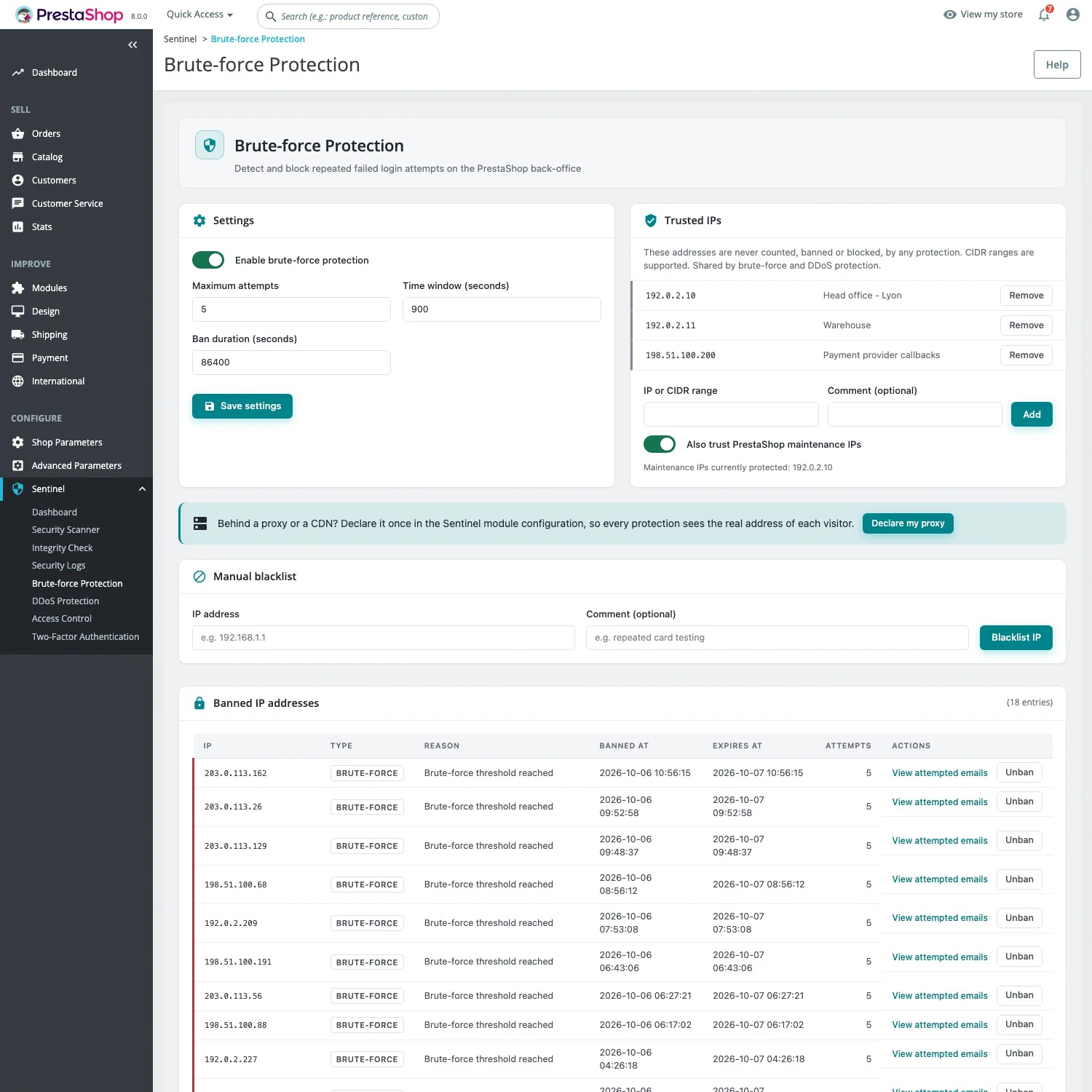
Sentinel Pro counts failed back-office logins per IP address. Past a threshold within a given time window, the address is banned: by default, 5 failures within 15 minutes earn a one-hour ban. A banned address gets a 403 error on the whole back office, while the storefront stays open. Bans expire on their own.
The Sentinel > Brute-force Protection page lists active bans, lets you lift one in a click and shows the email addresses tried from each IP. A blacklist bans an address permanently. Trusted IPs, shared with anti-DDoS and the web application firewall, are never counted or banned.
Setting it up
- If the store sits behind Cloudflare, a CDN or a reverse proxy, declare it first in Sentinel > Configuration, on the General tab.
- On the Access control tab, add your addresses with Add my current IP, turn the whitelist on and save.
- With Pro, adjust the threshold, time window and ban duration on the Brute force tab, and add your fixed addresses to the trusted IPs.
What these protections do not replace
IP filtering assumes stable addresses: if yours changes, use a CIDR range or a VPN with a fixed address. Brute-force protection slows down password guessing, but it does not make a weak password safe. To protect the accounts themselves, turn on two-factor authentication, which is free as well. See Free or Pro for the editions: Pro costs €29.90 excl. tax per month per installation, with no commitment.